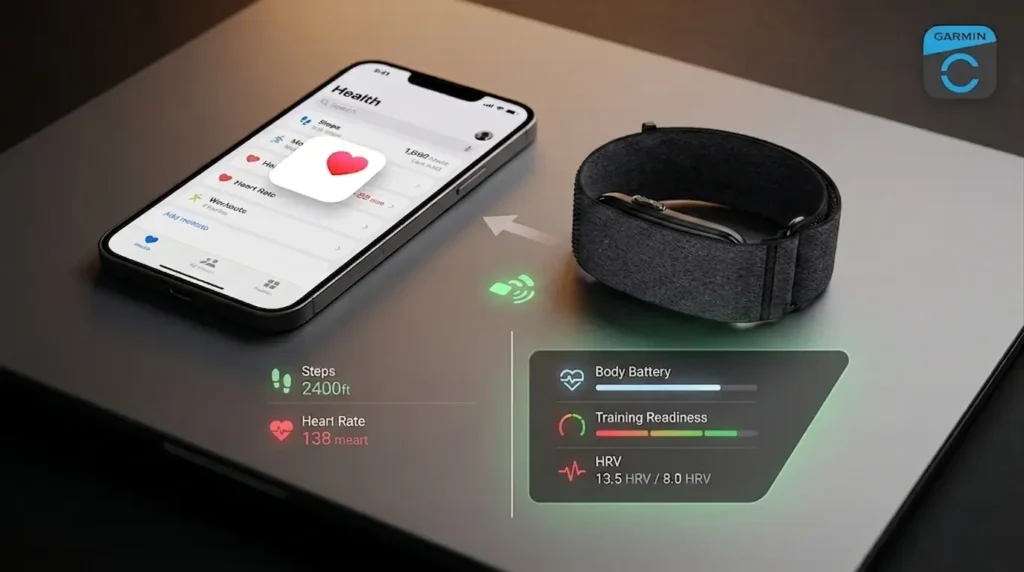
The CIRQA has no screen, so the Garmin Connect app is the only interface you get. For iPhone owners, that raises an immediate question: how much of that data actually reaches Apple Health, and how much stays locked inside Garmin’s ecosystem?
The short answer is that the basics cross over cleanly and the interesting metrics do not.
Key Takeaways
- Garmin Connect writes steps, heart rate, sleep, blood oxygen, respiration, and workouts to Apple Health, but the transfer runs one direction only.
- Body Battery, Training Readiness, HRV status, Sleep Score, and Acute Load have no HealthKit equivalent and never leave Garmin Connect.
- Most sync failures are not bugs. They are Apple Health source priority conflicts or iOS suspending Garmin Connect in the background.
Turn On Apple Health Sharing in Garmin Connect
The connection has to be started from Garmin’s side. Beginning inside the Health app rarely works, because Garmin Connect requests the permissions rather than the other way around.
- Pair the CIRQA to Garmin Connect and let it complete one full sync.
- Open Garmin Connect and tap More in the bottom right corner.
- Go to Settings, then Connected Apps.
- Select Apple Health, then tap Connect with Apple Health.
- Toggle on the data categories you want Garmin to write, or tap Turn On All.
- Tap Allow in the top right to save.
Expect roughly two weeks of backfill on the first sync. Garmin does not import your full history into Apple Health, so anything older than that window stays in Garmin Connect only.
Verify the result in Health under Profile > Apps, where Garmin Connect should now appear with a list of write permissions.
Which Metrics Cross Over and Which Do Not
Every category Garmin shares maps to an existing HealthKit data type. Anything Garmin invented itself has nowhere to land.
| Metric | Reaches Apple Health | Notes |
|---|---|---|
| Steps | Yes | Full daily totals |
| Walking + running distance | Yes | Phone GPS fills the route |
| Active energy | Yes | Daily and per workout |
| Heart rate | Yes | Roughly every 2 minutes at rest |
| Blood oxygen | Yes | Overnight Pulse Ox readings |
| Respiratory rate | Yes | Overnight and during workouts |
| Sleep analysis | Yes | Includes stage breakdown |
| Workouts | Yes | Summary totals, not full telemetry |
What Stays Inside Garmin Connect
These are the metrics most people buy a CIRQA for, and none of them appear in Health:
- Body Battery and all-day stress
- Training Readiness, Acute Load, Load Ratio, and Recovery Time
- HRV status and nightly HRV values
- Sleep Score and Sleep Coach guidance
- Health Status dashboard and skin temperature
- Flights climbed, which the CIRQA cannot measure at all because it has no barometric altimeter
If recovery scoring is the reason you are shopping, the Garmin CIRQA versus Whoop 5.0 comparison is the more useful decision framework, since neither platform exports its scoring layer anywhere.
Why the Sync Runs in One Direction
Garmin Connect writes to Apple Health. It does not read from it. That means an Apple Watch workout, a third party sleep tracker, or a manual Health entry will never appear in Garmin Connect or feed the CIRQA’s algorithms.
The reason is competitive rather than technical. Garmin’s proprietary scoring depends on continuous data from Garmin hardware, and accepting outside inputs would dilute the models it sells devices on.
Garmin has signaled that limited read access is coming, with the5krunner reporting that the company intends to accept some Apple Health data in future Connect releases. Nothing in the current app does this, and Garmin has not confirmed which categories would be included.
Practically, this means Apple Health becomes a mirror of your CIRQA data. It does not become a shared workspace between the two platforms.
Fixing Sleep Data That Imports Wrong
Mislabeled sleep is almost always a source priority problem, not a tracking problem. Apple Health stores every submitted sample and then displays whichever source ranks highest.
Open Health > Browse > Sleep, scroll to Data Sources & Access, tap Edit, and drag Garmin Connect above your iPhone and Apple Watch. Your iPhone infers sleep from screen activity and will otherwise override the CIRQA’s sensor data.
Two other fixes worth running:
- Turn off Apple’s own Sleep Schedule tracking in the Health app if you are not wearing an Apple Watch overnight, since the schedule writes estimated windows that conflict with Garmin’s.
- Confirm your iPhone time zone is set to update automatically. Manual time zones produce sleep blocks with the wrong timestamps after travel.
Naps are the remaining gap. The CIRQA detects them and Garmin Connect displays them, but they often land in Health as short unstaged sleep periods rather than labeled naps.
When Garmin Connect Stops Syncing in the Background
The CIRQA is a Bluetooth-only device with no Wi-Fi radio, so nothing moves without your phone. If Garmin Connect is fully closed or suspended by iOS, data queues on the band until the app runs again.
Work through these in order:
- Open Garmin Connect and pull down on the dashboard to force a manual sync.
- Enable Background App Refresh for Garmin Connect in iOS Settings.
- Set Bluetooth permission to allowed and location access to Always, which Garmin Connect requires for connected GPS.
- Disable iOS Low Power Mode, which throttles background Bluetooth activity.
- Stop swiping Garmin Connect closed from the app switcher, since that blocks background wake events entirely.
Step counts that lag behind Garmin Connect by a few hours are usually a queued sync rather than lost data. Give the app a foreground minute before troubleshooting further.
If you are cross-shopping and want the screenless comparison first, the CIRQA versus Fitbit Air breakdown covers how each handles third party data export.
FAQ
Not every time, but often enough that it matters. Garmin Connect syncs in the background when iOS permits, and Garmin’s own support documentation notes that Apple Health transfers can pause if the app is closed and finish on the next foreground sync. Opening the app once a day is the reliable habit.
No. The integration is write-only from Garmin Connect to Apple Health. Third party bridge apps exist for specific categories like body weight, but there is no native path for Apple Watch or Health data to enter Garmin Connect.
Your iPhone or Apple Watch is probably ranked above Garmin Connect as a sleep data source. Reorder the sources under Data Sources & Access in the Health app so Garmin sits at the top. Garmin Connect has shared full sleep stage data rather than duration alone since version 4.71, so stages should appear once priority is fixed.
Yes. The CIRQA is a standalone tracker that needs only an iPhone running Garmin Connect. It uses your phone’s GPS for workout routes and can broadcast heart rate over Bluetooth and ANT+ to third party apps, though pairing it as a heart rate source for an Apple Watch has been inconsistent for some owners.