
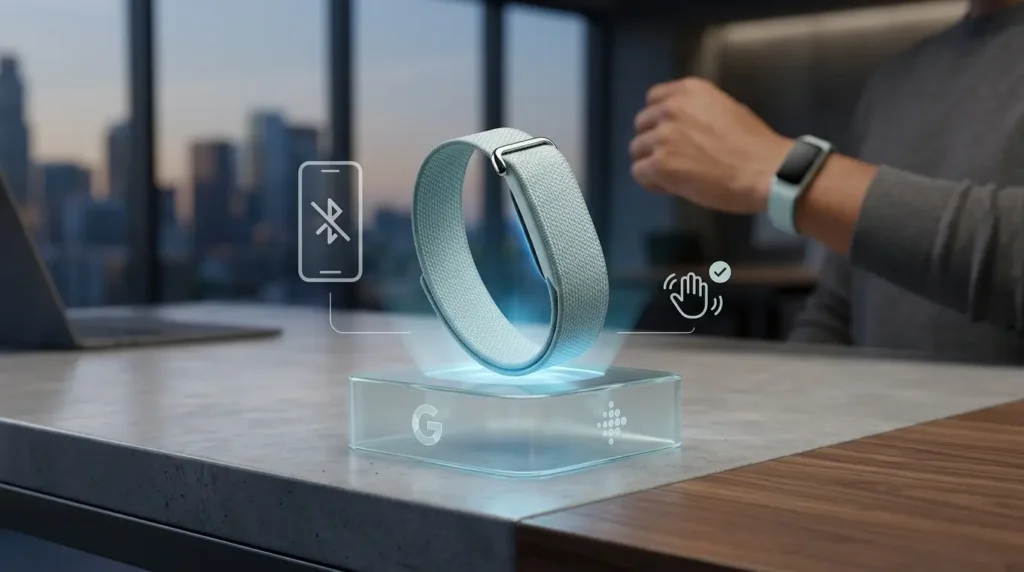
Google rates the Fitbit Air at up to seven days per charge. A large share of owners are landing at four or five. The gap is real, and most of it traces back to a connectivity loop and two haptic settings rather than a failing battery cell.
Key Takeaways
- Bluetooth reconnection churn, not the vibration motor, is the single largest recoverable drain on the Fitbit Air, and disabling phone Bluetooth overnight is the highest-yield fix available.
- The seven-day rating assumes minimal alarms, no repeated sync failures, and light use of the Google Health app, which is not how most people actually wear the device.
- If the tracker still dies in under four days on current firmware with vibration off, it qualifies as a hardware fault under the one-year US limited warranty.
What “Up to Seven Days” Actually Assumes
The Fitbit Air is a 35 x 17 x 8.3 mm module with no screen, no speaker, and no button. Its entire power budget goes to sensors, radio, and one vibration motor. That is why the rated figure is so sensitive to behavior.
Google’s seven-day claim represents roughly 14% drain per day across a full charge cycle. Reviewers who wore the tracker with light alert usage confirmed it: one week of wear, around 15% remaining, and a 0 to 100% recharge in about 90 minutes.
That number assumes a stable Bluetooth pairing, infrequent app launches, and few haptic events. Remove any one of those conditions and the curve steepens quickly.
The same power math applies across the screenless category, which is why runtime is one of the sharpest separators in a Garmin CIRQA vs Fitbit Air comparison.
The Drain Pattern Owners Are Actually Reporting
Field measurements from month-long wear tell a different story than the spec sheet. Android Police logged a drop from 100% to 81% over roughly 12 daytime hours with no workout recorded, then a further overnight loss with sleep tracking active.
The same reviewer measured a controlled overnight run with phone Bluetooth switched off. Consumption fell to 4%, even with a wrist alarm still armed.
| Scenario | Reported drain | Implied full-charge runtime |
|---|---|---|
| Google rated figure, mixed use | ~14% per day | 7 days |
| 12 daytime hours, no workout, Bluetooth on | ~19% | ~4 days |
| Overnight, sleep tracking, Bluetooth on | 6% to 11% | Compounds daytime loss |
| Overnight, sleep tracking, phone Bluetooth off | 4% | Roughly halves overnight cost |
The delta between the last two rows is the actionable finding. Overnight radio behavior, not sensor sampling, is where the seven-day claim breaks down for most owners.
Fixes 1 to 3: Kill the Connectivity Overhead
1. Turn Off Phone Bluetooth Overnight
The Air syncs opportunistically in the background, triggered by app launches, manual refreshes, and system activity. When the phone drops the pairing, the tracker burns power retrying.
Disabling Bluetooth on the phone before bed removes those attempts entirely for seven to nine hours. In the Android quick settings panel, confirm that “Automatically turn on tomorrow” is switched off, or the radio comes back at midnight.
2. Re-Pair the Tracker After Repeated Sync Stalls
Failed handshakes are worse than no handshake. If Google Health takes several minutes to connect or the pairing breaks outright, the profile is corrupted and the retry loop runs continuously.
Clear the Fitbit Air from the phone’s Bluetooth settings, then re-add it through Google Health. This resets the connection state rather than masking the symptom.
3. Stop Leaving Google Health Open
Every app launch triggers a sync. Checking the tracker a dozen times a day multiplies radio wake events for data you could read once.
Open the app in the morning to pull the sleep report, and again after a workout. That routine also improves sleep log completeness.
Fixes 4 and 5: Reduce Haptic Load
4. Drop Vibration Intensity to Its Lowest Usable Level
With no display and no speaker, the motor is the Air’s only output channel. On a cell this small, each haptic event carries a disproportionate cost relative to a full-size smartwatch.
Open Google Health, tap the device icon, select Fitbit Air, then choose Device preferences and Vibration. Moderate is sufficient for most wearers, and off is viable if you never rely on alerts.
5. Move Wrist Alarms to Your Phone
Alarm patterns run long and repeat until dismissed. A snoozed wrist alarm can fire several extended vibration sequences before you double-tap it off.
If your phone already sits on the nightstand, let it handle wake-ups. This pairs cleanly with fix 1, since a disabled Bluetooth radio makes the wrist alarm the only reason to keep haptics armed overnight.
Fixes 6 to 8: Firmware, Sensors, and Heat
6. Install the Current Firmware, but Set Expectations
The Air has received post-launch firmware, including version 20001.253.2 (shown as 67.20001.253.2 on Android). Google’s published notes describe only minor bug fixes and name no battery changes.
Install it anyway. Keep the device above 50% or on the charger, keep Bluetooth connected, and update during the day rather than near midnight, which can distort that day’s step count.
7. Wash the Sensor Window
Google’s own care guidance calls for removing the strap and cleaning the underside of the module where the sensor array sits. Sweat film and skin oil scatter the optical signal.
A degraded signal means more sampling attempts to reach a usable reading. Continuous heart rate, SpO2, and rhythm monitoring form the Air’s baseline power load, the same always-on sensor stack behind AFib detection on competing screenless trackers.
8. Keep the Module Out of Sustained Heat
Lithium cells lose efficiency under thermal stress, and a 5.2 g module has almost no thermal mass to buffer it. Long outdoor sessions in direct sun are the realistic exposure case.
A band style that loops over the module lowers surface temperature versus leaving it exposed. The effect is modest, but it costs nothing.
Ordering the Eight Fixes by Real Impact
Not every fix earns the same return. The table below ranks them by measured or reasonably inferred effect, so you can stop after the first two if that closes your gap.
| Fix | Effort | Expected effect |
|---|---|---|
| 1. Phone Bluetooth off overnight | 10 seconds | 2 to 7 points saved per night |
| 2. Re-pair after sync stalls | 5 minutes | Removes continuous retry loops |
| 4. Vibration intensity to low or off | 30 seconds | Scales with alert volume |
| 5. Alarms moved to phone | 30 seconds | Removes long haptic sequences |
| 3. Fewer Google Health launches | Habit change | Small, cumulative |
| 6. Current firmware installed | 10 minutes | Unquantified by Google |
| 7. Clean sensor window | 30 seconds | Indirect, via sampling efficiency |
| 8. Avoid sustained direct heat | Habit change | Indirect, thermal only |
Fixes 1 and 2 address the same root cause and should be applied together. Everything below fix 5 is maintenance rather than recovery.
When It Is a Defective Unit, Not a Setting
Run a clean four-day test before escalating. Current firmware installed, vibration off, wrist alarms disabled, phone Bluetooth off overnight, and no manual app refreshes beyond one morning sync.
If the Air still fails to clear four days under those conditions, the settings are not the problem. Consumption above roughly 25% per day with haptics disabled points to a hardware or cell fault.
Confirm battery state first with a firm double-tap on the module: white means 20% or above, red means below 20%, and no light means the device is off or fully depleted.
Fitbit hardware carries a one-year limited warranty in the United States from the original purchase date, covering defects in materials and workmanship. Claims for units bought after July 11, 2023 run through the Google Hardware Warranty Center, and you will need the serial number plus proof of purchase.
Retailer return windows are separate and usually shorter. If you are inside 30 days at Amazon, Best Buy, or the Google Store, a straight exchange is faster than a warranty claim. Runtime expectations across the wider category are covered in our long-term Whoop 5.0 performance log.
Frequently Asked Questions
With sleep tracking active and phone Bluetooth on, reported overnight losses fall between 6% and 11%. With the phone radio disabled, that drops to around 4%. Anything above 15% overnight indicates a sync loop or a failing cell.
It helps, but it is not the largest lever. Alarm vibration patterns are long and repeat until dismissed, so removing them recovers real percentage points on days you use them. Connectivity fixes still deliver a bigger return.
Google states that five minutes on the charger delivers roughly one day of use, and a full 0 to 100% cycle takes about 90 minutes. That claim assumes normal use, not a day with heavy alarm activity or repeated sync retries.
File once you have installed current firmware, disabled vibration and wrist alarms, and still cannot reach four days across a full test cycle. Document the daily percentage figures from Google Health before contacting support, since Google asks diagnostic questions during the claim.
Really helpful post.