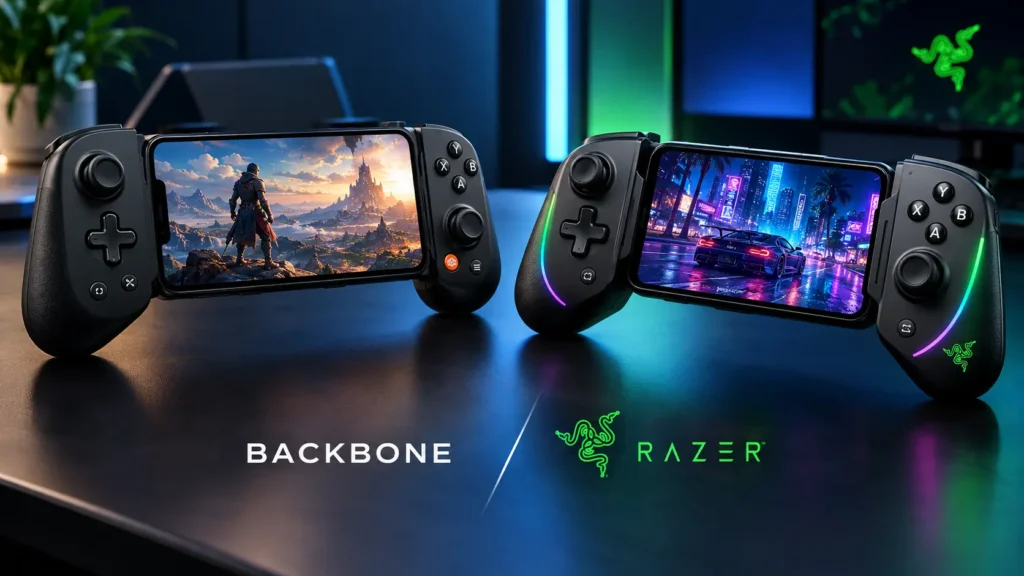
The Backbone Pro vs Razer Kishi Ultra decision comes down to one architectural split. The Backbone Pro carries its own battery and Bluetooth radio, while the Kishi Ultra is a wired-only USB-C controller built around full-size ergonomics and HD haptics.
One is a multi-device controller that also docks a phone. The other is a console-class grip that turns a phone or small tablet into a handheld.
Rallynomics may earn a commission on purchases made through links in this article.
Key Takeaways
- Backbone Pro is the flexible pick: Bluetooth, a 40-hour battery and FlowState switching let one controller move between an iPhone 17, a PC, a Mac and a TV.
- Kishi Ultra is the immersive pick: Full-size grips, Sensa HD haptics and an 8-inch device ceiling make it the stronger handheld conversion, especially on Android.
- Price favors Razer right now: A renewed Kishi Ultra sells for $69.85, about $100 less than the Backbone Pro’s $169.99, though new stock is thinning.
Price and What Comes in the Box
Current US Pricing
| Controller | List price | Recent street price | Status |
|---|---|---|---|
| Backbone Pro | $169.99 | $169.99 (Amazon) | Current model |
| Razer Kishi Ultra (new) | $149.99 | $89.96 to $104.99 | Being phased out |
| Razer Kishi Ultra (Renewed) | N/A | $69.85 (Amazon) | Amazon Renewed |
| Backbone One (2nd Gen) | $99.99 | Varies | Wired only |
Best Buy moved the Kishi Ultra to clearance at $104.99 in October 2026, while Amazon and Walmart listings dropped to $89.96. Razer is replacing it with the Kishi V3 Pro ($149.99), which adds TMR thumbsticks but drops Chroma RGB and requires Android 14.
Backbone Pro vs Backbone One
The Backbone One (2nd Gen) is wired only, weighs 138 g and has no rear buttons. For $70 more, the Pro adds:
- Bluetooth LE and a built-in battery
- Hall effect triggers
- Two remappable rear buttons
- Larger thumbsticks and thicker grips
For case fit, the Backbone Pro relies on removable magnetic adapters inside its clamp. The Kishi Ultra uses removable rubber cushions instead.
Fit With iPhone 17 and Android Phones
Both controllers use a USB-C plug, so any iPhone 15 or newer works. Lightning iPhones (iPhone 14 and earlier) are not compatible with either.
The Backbone Pro officially supports the iPhone 17, 17 Pro, 17 Pro Max and iPhone Air, plus USB-C Android phones from Samsung, Google, Motorola and others. Backbone defines compatibility with a model list rather than a published maximum dimension.
The Kishi Ultra accepts phones and tablets up to 8 inches, including the iPad mini (6th gen and A17 Pro). The iPhone 17 Pro Max’s 6.9-inch display sits well inside that ceiling.
Physical Specs
| Spec | Backbone Pro | Razer Kishi Ultra |
|---|---|---|
| Weight | 7.2 oz (203 g) | 9.4 oz (266 g) |
| Width, collapsed | 7.1 in | 9.6 in |
| Width, extended | 11.1 in | 13.2 in |
| Max device | Phones (model list) | 8-inch phones and tablets |
| Minimum iOS | iOS 15 | iOS 17 |
| Minimum Android | Android 10 | Android 12 |
The Android floor matters for older phones. A device stuck on Android 11 works with the Backbone Pro but not the Kishi Ultra.
If you are still choosing the phone itself, our ranking of the top gaming smartphones of 2026 covers the hardware worth pairing with either controller.
Do They Work With a Case On
Yes, with conditions. Both clamps leave room for slim cases, but the USB-C plug has to seat fully in the phone’s port, and that is where most fit problems start.
Backbone Pro Case Rules
Backbone publishes a case compatibility list by phone model. For the iPhone 17 series, it includes Apple’s Clear and Silicone cases with MagSafe, plus the TechWoven case on Pro models.
BACKBONE Pro Gaming Controller
Precio: $169.99
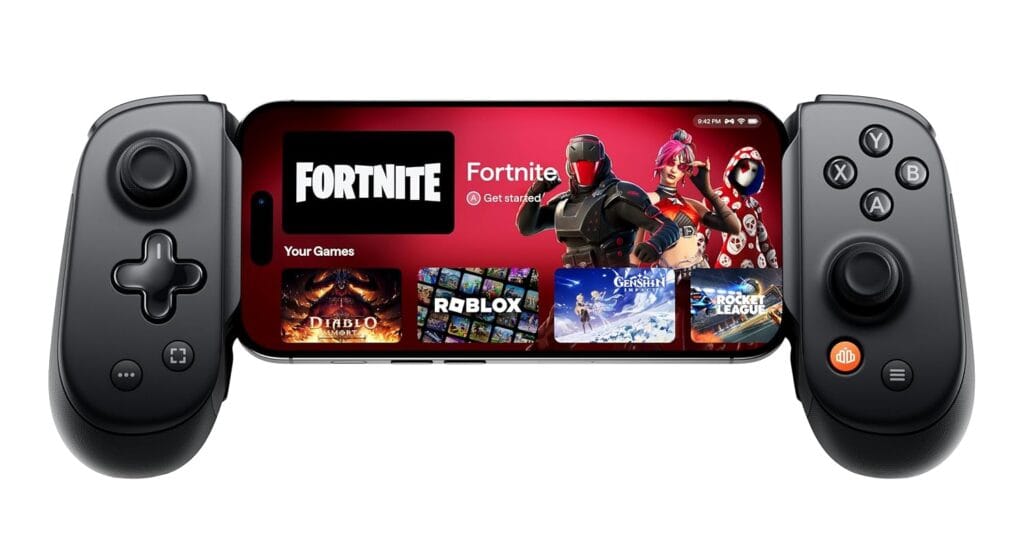
Some listed cases only fit after removing one or both magnetic adapters. The USB-C connector does not pivot, so thick material around the port is the main failure point.
Kishi Ultra Case Rules
Razer states the Kishi Ultra works with many popular cases, though you may need to remove or swap the rubber cushions. Cases that cover or deeply recess the USB-C port may not fit.
Razer Kishi Ultra Gaming Controller
Precio: $69.85
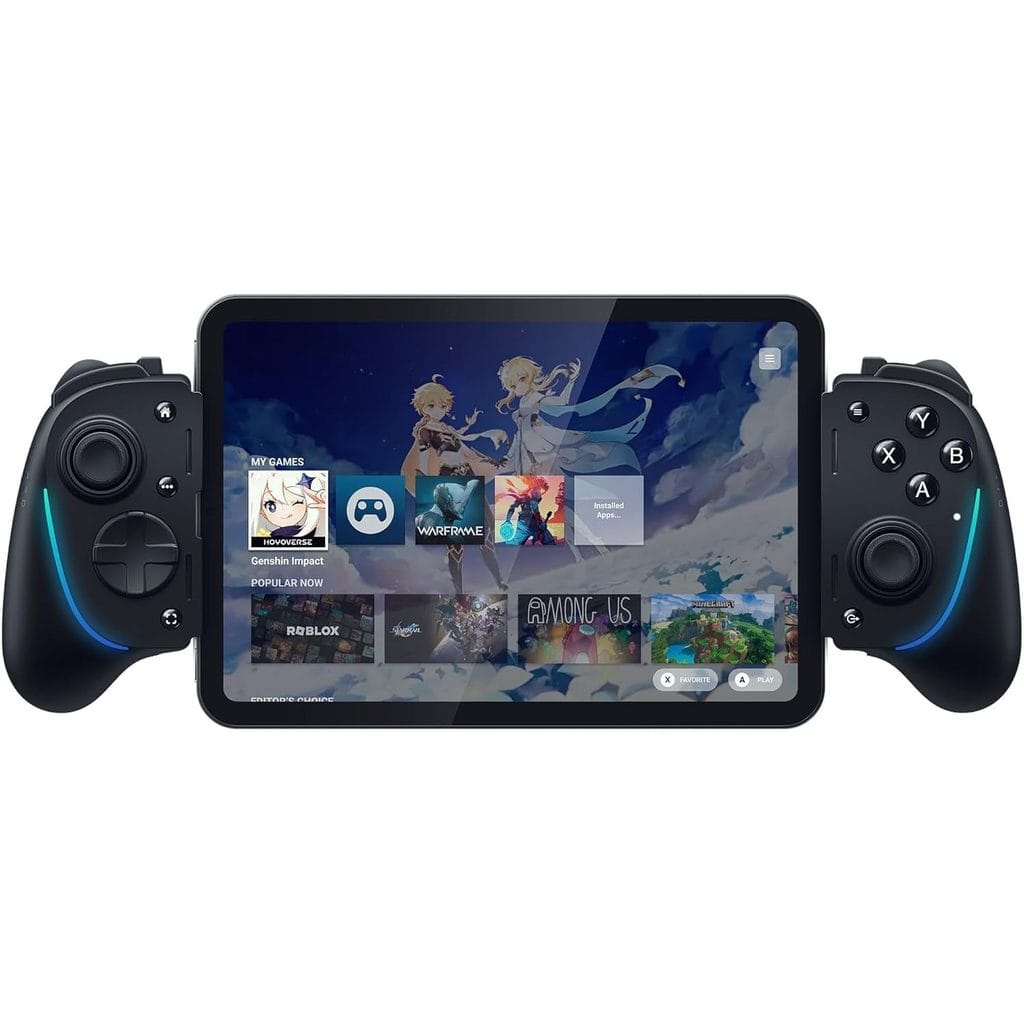
Practical Guidance
- Slim silicone, clear and MagSafe cases: generally fine on both controllers.
- Rugged, thick-lipped cases: expect connector seating issues on both.
- Large tablets in folio cases: remove the case first, even on the Kishi Ultra.
Buttons, Triggers and Haptics Compared
| Feature | Backbone Pro | Razer Kishi Ultra |
|---|---|---|
| Triggers | Hall effect | Hall effect |
| Thumbsticks | Full-size ALPS analog | Full-size, anti-friction rings |
| Magnetic sticks | No | No |
| Extra buttons | 2 rear buttons | L4/R4 bumpers |
| Face buttons | Quiet ABXY | Mecha-tactile |
| Haptics | None | Sensa HD |
| Lighting | Status LED | Chroma RGB |
Neither controller uses Hall effect or TMR thumbsticks, so long-term stick drift risk is comparable. Both use magnetic sensing only on the triggers.
The Haptics Gap
The Backbone Pro has no rumble motor at all. Kishi Ultra’s Sensa HD haptics deliver detailed feedback, but only on Android 12 or later and Windows 11.
On an iPhone 17, neither controller vibrates.
That makes haptics a platform question. If you are weighing an Android flagship against an iPhone, our Xiaomi 17T Pro vs iPhone 17 Pro Max comparison breaks down the rest of that tradeoff.
Ergonomics
The Kishi Ultra uses console-size grips that suit long sessions and larger hands. The Backbone Pro’s grips are thicker than the Backbone One’s but stay more compact, which keeps it easier to carry.
Bluetooth, Passthrough Charging and Latency
Connection Architecture
| Spec | Backbone Pro | Razer Kishi Ultra |
|---|---|---|
| Wired connection | USB-C | USB-C |
| Wireless | Bluetooth LE | None |
| Battery | Up to 40 hours | None (host-powered) |
| Passthrough charging | Yes, USB-C | Yes, 15 W USB-C |
| Audio jack | 3.5 mm | 3.5 mm |
The Kishi Ultra draws power from the device it is attached to. That means no charging routine for the controller, but a small extra drain on your phone during long sessions.
The Backbone Pro’s battery only matters in wireless mode. Docked to a phone, it runs over the USB-C link like the Kishi Ultra.
What Is Known About Latency
When docked, both controllers use a direct USB-C connection, the lowest-latency path either one supports. Bluetooth only enters the chain when the Backbone Pro is detached and paired with a PC, Mac or TV.
Macworld’s review noted slight lag in timing-sensitive games over Bluetooth, though the reviewer did not experience it directly. No standardized, like-for-like latency test covering both controllers has been published yet.
For competitive shooters or fighting games on the Backbone Pro, a wired USB-C connection is the safer configuration.
Cloud Gaming and Remote Play Support
Both controllers handle the major streaming platforms. The difference is in the companion software and what sits behind a paywall.
| Service or feature | Backbone Pro | Razer Kishi Ultra |
|---|---|---|
| Xbox Cloud Gaming | Yes | Yes |
| NVIDIA GeForce Now | Yes | Yes |
| PS Remote Play | Yes | Yes |
| Steam Link | Yes | Yes |
| Companion app | Backbone App (free) | Razer Nexus (free) |
| Optional subscription | Backbone+ ($39.99/yr) | None |
| Touch-to-button mapping | TouchSync (Android) | Virtual Controller Mode (Android) |
Backbone App vs Razer Nexus
The free Backbone App covers firmware, remapping, dead zones and trigger sensitivity. Backbone+ adds a unified launcher, 1080p/60fps capture with cloud storage, voice chat and Twitch streaming.
Razer Nexus handles remapping, Chroma lighting and haptics settings at no cost. Its Virtual Controller Mode maps physical buttons onto touch-only Android games, which widens the playable library.
The Backbone Pro cannot pair wirelessly with a PS5, a Sony restriction. On a phone, PS Remote Play works normally on both controllers.
Which Controller to Buy
The verdict splits by platform first, then by how you play.
Buy the Backbone Pro If
- You play on an iPhone 17, where the Kishi Ultra’s haptics do not work anyway.
- You want one controller for your phone, PC, Mac and TV.
- Portability matters: it is 2.2 oz lighter and 2.5 inches narrower when collapsed.
- You mainly stream through Xbox Cloud Gaming or Remote Play.
The Backbone Pro is $169.99 on Amazon.
Buy the Razer Kishi Ultra If
- You play on Android 12 or later and want haptic feedback.
- You also game on an iPad mini or an 8-inch Android tablet.
- You play long sessions and prefer full-size, console-style grips.
- You want premium hardware at clearance or renewed pricing.
The Razer Kishi Ultra (Renewed) is $69.85 on Amazon, the most cost-efficient entry point while it lasts.
Consider a Dedicated Handheld Instead
If you want local battery life, native PC games and no drain on your phone, a phone controller is the wrong category. Our guide to the best handheld gaming consoles of 2026 lists every current US price.
FAQ
Yes. The Kishi Ultra supports devices up to 8 inches, and the iPhone 17 Pro Max has a 6.9-inch display. Most slim cases fit, though you may need to remove the rubber cushions. Sensa HD haptics do not work on iOS.
Yes. The Backbone Pro pairs over Bluetooth with Windows PCs, Macs, tablets and TVs, and FlowState lets you switch between devices. It also works wired over USB-C. The one notable exception is wireless pairing with a PS5.
No. The controller works fully without Backbone+, and the free Backbone App handles remapping and firmware updates. The optional $39.99 yearly membership adds a unified launcher, video capture, voice chat and streaming tools.
On an iPhone, the Backbone Pro is the better choie: it is lighter, works with your PC too, and the Kishi Ultra’s haptics are inactive on iOS. On Android, the Kishi Ultra is the only one of the two that adds haptic feedback, and it currently costs less.